Hello,
I’m still setting up my Ubuntu 12.10 (Quantal Quetzal). Let’s change the menu buttons (minimize, maximize, close) position to the right (again).
Open your Terminal
$ gsettings set org.gnome.desktop.wm.preferences button-layout 'menu:minimize,maximize,close'
Result:
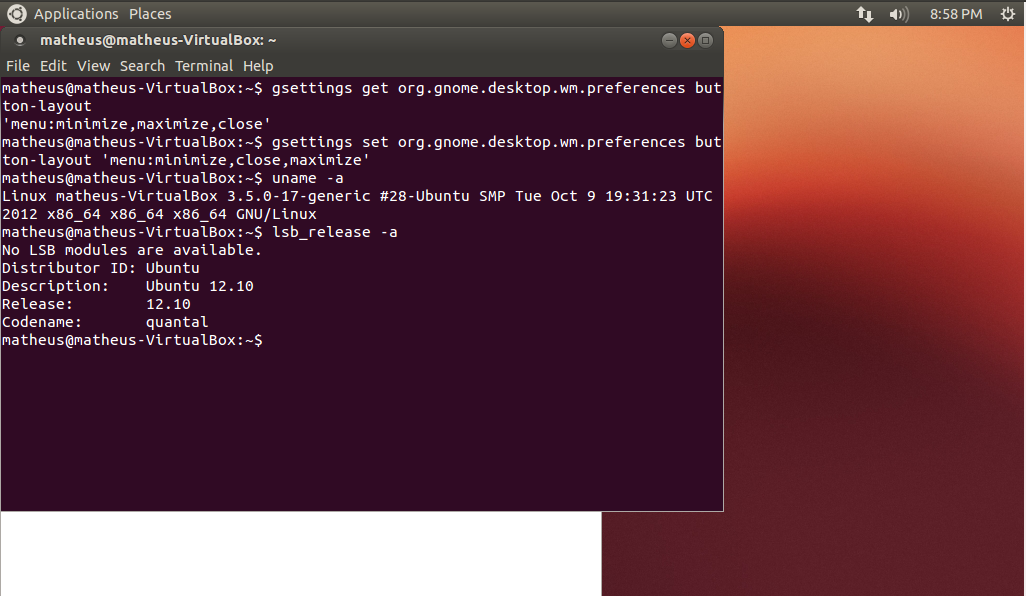
It is supposed to change without logout, if you have any problem, try to execute it as root and logout
Best Regards,
Matheus
https://sjebkvanwa.wordpress.com
https://olqfcfpfud.wordpress.com
https://olqfcfpfud.wordpress.com
вызов нарколога на дом вызов нарколога на дом .
https://yrpolfqizg.wordpress.com
https://zgzpzpcqfh.wordpress.com
https://ughaavseby.wordpress.com
https://ughaavseby.wordpress.com
https://zfrvblsswy.wordpress.com
https://zfrvblsswy.wordpress.com
https://nkxutnlyla.wordpress.com
https://ksemfakmni.wordpress.com
https://fanvuqkaud.wordpress.com
pinup казино casino pin up
https://fanvuqkaud.wordpress.com
найти промокод алиэкспресс новые промокоды алиэкспресс
https://rqiemzolae.wordpress.com
https://ecbsmgtfya.wordpress.com
https://spplbzdsvh.wordpress.com
https://spplbzdsvh.wordpress.com
https://sgvxqmbkaf.wordpress.com
https://scyhchvfkb.wordpress.com
https://scyhchvfkb.wordpress.com
https://scyhchvfkb.wordpress.com
https://annytarshw.wordpress.com
https://annytarshw.wordpress.com
https://jllbczbfhi.wordpress.com
https://jllbczbfhi.wordpress.com
https://mxxpjxvlwe.wordpress.com
https://mxxpjxvlwe.wordpress.com
https://tzvpbpffwr.wordpress.com
https://tzvpbpffwr.wordpress.com
https://tkygkspzem.wordpress.com
https://wukuelmgsn.wordpress.com
https://wukuelmgsn.wordpress.com
https://iwknguzraa.wordpress.com